How to Write a GitLab Fleeting Plugin
The fleeting library, used by GitLab Runner, provides a plugin-based abstraction for cloud provider instance groups. It simplifies dynamically scaling your GitLab CI/CD runners on any infrastructure.Official fleeting plugins already exist for AWS, Google Cloud, and Azure. In this tutorial, I’ll show you how to write your own fleeting plugin for Cloudscale.


A Preview of the GitLab Fleeting Plugin
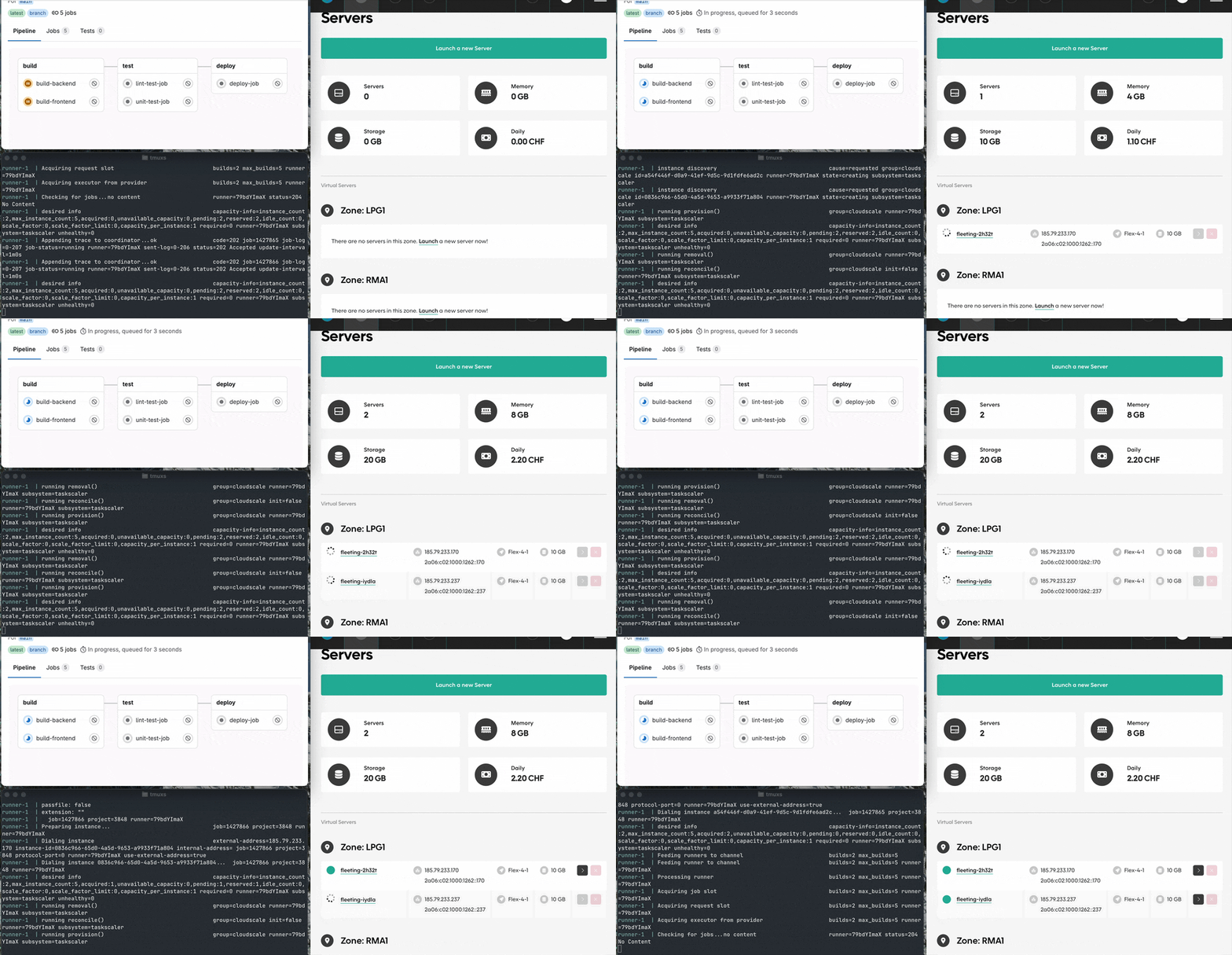
Here’s what the final setup looks like:
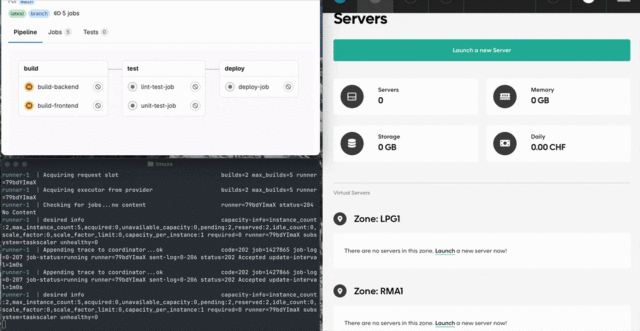
When a sample GitLab CI/CD pipeline triggers, GitLab Runner dynamically creates new instances for each job using the plugin built in this tutorial.
You can find the finished GitLab fleeting plugin on the Puzzle GitLab.
What Is Fleeting?
Fleeting is the library GitLab Runner uses to abstract instance group management across (cloud) providers. It replaces the deprecated Docker Machine executor.
Read more about the new architecture in the GitLab team handbook.
What Is Taskscaler?
Taskscaler is an autoscaling system that works with fleeting to provision instances and assign tasks to them. Each instance can be configured with a fixed task capacity, and Taskscaler ensures that enough capacity is available to meet the current demand — scaling up or down as needed.
What Is an Instance?
In the context of autoscaling GitLab Runners using fleeting, an instance refers to a virtual machine or compute node that runs CI/CD jobs.
Fleeting handles the provisioning of these instances, while the plugin defines how they’re created and managed in a specific cloud environment like Cloudscale.
Requirements
To follow along, you’ll need:
- Go, tested with Go
1.24 - A Git repository on a GitLab instance
- A Cloudscale API key
- Docker and Docker Compose
Setting Up the Plugin Boilerplate
Start by initializing a new Go project:
mkdir cloudscale-fleeting-plugin && \
cd cloudscale-fleeting-plugin && \
go mod init cloudscale-fleeting-plugin && \
touch main.go
Use cloudscale-fleeting-plugin as the Go module name.
Each provider implements the InstanceGroup interface, derived from the Protocol Buffers definition:
type InstanceGroup interface {
    // Initialize the instance group. Here you can validate the settings.
    Init(ctx context.Context, logger hclog.Logger, settings Settings) (ProviderInfo, error)

    // Is called by the taskrunner to receive updates for existing instances.
    Update(ctx context.Context, fn func(instance string, state State)) error

    // The taskrunner requests 'n' more instances.
    Increase(ctx context.Context, n int) (succeeded int, err error)

    // The taskrunner requests the removal of specific instances.
    Decrease(ctx context.Context, instances []string) (succeeded []string, err error)

    // Called to get the information on how to connect to an instance.
    ConnectInfo(ctx context.Context, instance string) (ConnectInfo, error)

    // Is called when a GitLab Runner is shutting down.
    Shutdown(ctx context.Context) error
}
Place all your code in main.go, which serves as the entry point for the plugin.
// main.go
package main

import (
  "context"
  "math"

  hclog "github.com/hashicorp/go-hclog"
  "gitlab.com/gitlab-org/fleeting/fleeting/plugin"
  "gitlab.com/gitlab-org/fleeting/fleeting/provider"
)

type instanceGroup struct{}

// Check if interface `InstanceGroup` is implemented.
var _ provider.InstanceGroup = (*instanceGroup)(nil)

// Init implements provider.InstanceGroup.
func (g *instanceGroup) Init(ctx context.Context, logger hclog.Logger, settings provider.Settings) (provider.ProviderInfo, error) {
  return provider.ProviderInfo{
    ID:      "cloudscale",
    MaxSize: math.MaxInt,
  }, nil
}

// Increase implements provider.InstanceGroup.
func (g *instanceGroup) Increase(ctx context.Context, delta int) (succeeded int, err error) {
  return 0, nil
}

// Decrease implements provider.InstanceGroup.
func (g *instanceGroup) Decrease(ctx context.Context, instances []string) (succeeded []string, err error) {
  return nil, nil
}

// Update implements provider.InstanceGroup.
func (g *instanceGroup) Update(ctx context.Context, update func(instance string, state provider.State)) error {
  return nil
}

// ConnectInfo implements provider.InstanceGroup.
func (g *instanceGroup) ConnectInfo(ctx context.Context, instance string) (provider.ConnectInfo, error) {
  return provider.ConnectInfo{}, nil
}

// Shutdown implements provider.InstanceGroup.
func (g *instanceGroup) Shutdown(ctx context.Context) error {
  return nil
}

func main() {
  plugin.Main(&instanceGroup{}, plugin.VersionInfo{})
}
To streamline development, use Docker Compose watch for an automated, local setup.
# compose.yaml
services:
  runner:
    build:
      dockerfile_inline: |
        FROM golang:1.24-alpine AS builder

        WORKDIR /build

        COPY go.mod go.sum .
        RUN go mod download

        COPY . .
        RUN go build -o fleeting-plugin-cloudscale main.go

        FROM gitlab/gitlab-runner:latest

        COPY --from=builder /build/fleeting-plugin-cloudscale /bin/fleeting-plugin-cloudscale
    configs:
      - source: runner_config
        target: /etc/gitlab-runner/config.toml
    develop:
      watch:
        - action: rebuild
          path: .
configs:
  runner_config:
    name: "config.toml"
    content: |
      log_level = "debug"
      [[runners]]
        # Set as environment variable or replace this with your GitLab instance URL if needed.
        url = "$GITLAB_URL"

        # Set as environment variable or replace with token from new (project) runner registration.
        token = "$RUNNER_TOKEN"

        # For this example we will use instance runners.
        executor = "instance"
      [runners.autoscaler]
        plugin = "fleeting-plugin-cloudscale" # Same name as the built binary.
      [[runners.autoscaler.policy]]
        idle_count = 0 # We only want to create instances when needed.
Replace $GITLAB_URL and $RUNNER_TOKEN with your GitLab instance URL and a registered runner token, or set them as environment variables.
Start the local GitLab Runner:
docker compose up --build \
  --watch \
  --force-recreate
Note: Use --force-recreate or restart with docker compose down && docker compose up when changing the runner configuration.
Configuring the Plugin
The config.toml also configures fleeting plugins. The [runners.autoscaler.plugin_config] section gets passed to the plugin as JSON.
To provide the Cloudscale API key, add api_token to the plugin config:
# compose.yaml
configs:
  runner_config:
    name: "config.toml"
    content: |
      log_level = "debug"
      [[runners]]
        # Set as environment variable or replace this with your GitLab instance URL if needed.
        url = "$GITLAB_URL"

        # Set as environment variable or replace with token from new (project) runner registration.
        token = "$RUNNER_TOKEN"

        # For this example we will use instance runners.
        executor = "instance"
      [runners.autoscaler]
        plugin = "fleeting-plugin-cloudscale" # Same name as the built binary.

      [runners.autoscaler.plugin_config]
        # Set as environment variable or replace with API token from Cloudscale.
        api_token = "$CLOUDSCALE_API_TOKEN"

      [[runners.autoscaler.policy]]
        idle_count = 0 # We only want to create instances when needed.
Update the instanceGroup struct and Init function to use the token:
// main.go
type instanceGroup struct {
  ApiToken string `json:"api_token"` // Holds the cloudscale API token configured in `plugin_config`.
  client   *cloudscale.Client

  settings provider.Settings
}

// Init implements provider.InstanceGroup.
func (g *instanceGroup) Init(ctx context.Context, logger hclog.Logger, settings provider.Settings) (provider.ProviderInfo, error) {
  info := provider.ProviderInfo{
    ID:      "cloudscale",
    MaxSize: math.MaxInt,
  }

  g.settings = settings

  g.client = cloudscale.NewClient(http.DefaultClient)
  g.client.AuthToken = g.ApiToken

  if _, err := g.client.Servers.List(ctx); err != nil {
    return info, fmt.Errorf("failed to create Cloudscale API client: %w", err)
  }

  return info, nil
}
Generate an SSH key pair during initialization and store the keys:
// main.go
import (
  "context"
  "crypto/ed25519"
  "encoding/pem"
  "fmt"
  "math"
  "net/http"

  "github.com/cloudscale-ch/cloudscale-go-sdk/v6"
  hclog "github.com/hashicorp/go-hclog"
  "gitlab.com/gitlab-org/fleeting/fleeting/plugin"
  "gitlab.com/gitlab-org/fleeting/fleeting/provider"
  "golang.org/x/crypto/ssh"
)

type instanceGroup struct {
  ApiToken string `json:"api_token"` // Holds the cloudscale API token configured in `plugin_config`.
  client   *cloudscale.Client

  settings      provider.Settings
  authorizedKey []byte
}

func (g *instanceGroup) Init(ctx context.Context, logger hclog.Logger, settings provider.Settings) (provider.ProviderInfo, error) {
  info := provider.ProviderInfo{
    ID:      "cloudscale",
    MaxSize: math.MaxInt,
  }

  g.settings = settings

  g.client = cloudscale.NewClient(http.DefaultClient)
  g.client.AuthToken = g.ApiToken

  if _, err := g.client.Servers.List(ctx); err != nil {
    return info, fmt.Errorf("failed to create Cloudscale API client: %w", err)
  }

  pub, priv, err := ed25519.GenerateKey(nil)
  if err != nil {
    return info, fmt.Errorf("failed to generate SSH private key: %w", err)
  }

  privPem, err := ssh.MarshalPrivateKey(priv, "")
  if err != nil {
    return info,
      fmt.Errorf("failed to marshal SSH private key: %w", err)
  }
  g.settings.Key = pem.EncodeToMemory(privPem)

  pubKey, err := ssh.NewPublicKey(pub)
  if err != nil {
    return info,
      fmt.Errorf("failed to convert SSH public key: %w", err)
  }
  g.authorizedKey = ssh.MarshalAuthorizedKey(pubKey)

  return info, nil
}
With the Cloudscale API client and key pair in place, you’re ready to create and delete instances.
Creating New Instances
In Increase, create flex-4-1 Ubuntu servers with 10 GB storage:
// main.go
// Increase implements provider.InstanceGroup.
func (g *instanceGroup) Increase(ctx context.Context, delta int) (succeeded int, err error) {
  servers := make([]*cloudscale.Server, 0, delta)
  errs := make([]error, 0)

  tagMap := cloudscale.TagMap{"fleeting": "true"}

  for range delta {
    serverName := strings.ToLower(rand.Text()[:5])
    server, err := g.client.Servers.Create(ctx, &cloudscale.ServerRequest{
      Name:                  "fleeting-" + serverName,
      Flavor:                "flex-4-1",
      Image:                 "ubuntu-24.04",
      VolumeSizeGB:          10,
      SSHKeys:               []string{string(g.authorizedKey)},
      TaggedResourceRequest: cloudscale.TaggedResourceRequest{Tags: &tagMap},
      UserData: `#cloud-config
package_update: true
package_upgrade: true
apt:
  sources:
    gitlab_runner:
      source: "deb https://packages.gitlab.com/runner/gitlab-runner/ubuntu/ $RELEASE main"
      keyserver: "https://packages.gitlab.com/runner/gitlab-runner/gpgkey"
      keyid: "F6403F6544A38863DAA0B6E03F01618A51312F3F"
packages:
  - git
  - gitlab-runner
`,
    })

    if err != nil {
      errs = append(errs, fmt.Errorf("failed to create server: %w", err))
      continue
    }

    servers = append(servers, server)
  }

  return len(servers), errors.Join(errs...)
}
These instances must have git and gitlab-runner installed. Use the following cloud-init config:
package_update: true
package_upgrade: true
apt:
  sources:
    gitlab_runner:
      source: "deb https://packages.gitlab.com/runner/gitlab-runner/ubuntu/ $RELEASE main"
      keyserver: "https://packages.gitlab.com/runner/gitlab-runner/gpgkey"
      keyid: "F6403F6544A38863DAA0B6E03F01618A51312F3F"
packages:
  - git
  - gitlab-runner
Configure the instance_ready_command to detect when cloud-init completes:
# compose.yaml
configs:
  runner_config:
    name: "config.toml"
    content: |
      log_level = "debug"
      [[runners]]
        # Set as environment variable or replace this with your GitLab instance URL if needed.
        url = "$GITLAB_URL"

        # Set as environment variable or replace with token from new (project) runner registration.
        token = "$RUNNER_TOKEN"

        # For this example we will use instance runners.
        executor = "instance"
      [runners.autoscaler]
        plugin = "fleeting-plugin-cloudscale" # Same name as the built binary.

      [runners.autoscaler.plugin_config]
        # Set as environment variable or replace with API token from Cloudscale.
        api_token = "$CLOUDSCALE_API_TOKEN"

        # cloud-init has completed successfully (if it is present).
        instance_ready_command = "command -v cloud-init || exit 0; cloud-init status --wait; test $? -ne 1"

      [[runners.autoscaler.policy]]
        idle_count = 0 # We only want to create instances when needed.
Removing Instances
In Decrease, delete servers specified by the taskrunner:
// main.go
// Decrease implements provider.InstanceGroup.
func (g *instanceGroup) Decrease(ctx context.Context, instances []string) (succeeded []string, err error) {
  errs := make([]error, 0)

  for _, id := range instances {
    if err := g.client.Servers.Delete(ctx, id); err != nil {
      errs = append(errs, fmt.Errorf("failed to delete server: %w", err))
      continue
    }
    succeeded = append(succeeded, id)
  }

  return succeeded, errors.Join(errs...)
}
Streaming Instance Updates
Only Update and ConnectInfo are left to implement. Refactor the code and move the TagMap creation into its own function.
// main.go
func (*instanceGroup) tagMap() cloudscale.TagMap {
  return cloudscale.TagMap{"fleeting": "true"}
}

// Increase implements provider.InstanceGroup.
func (g *instanceGroup) Increase(ctx context.Context, delta int) (succeeded int, err error) {
  servers := make([]*cloudscale.Server, 0, delta)
  errs := make([]error, 0)

  // Use the new helper instead of creating the `TagMap` directly.
  tagMap := g.tagMap()
  // ...
}
Implement Update to map server statuses to provider.State:
// main.go
// Update implements provider.InstanceGroup.
func (g *instanceGroup) Update(ctx context.Context, update func(instance string, state provider.State)) error {
  servers, err := g.client.Servers.List(ctx, cloudscale.WithTagFilter(g.tagMap()))
  if err != nil {
    return fmt.Errorf("failed to get servers: %w", err)
  }

  for _, server := range servers {
    id := server.UUID
    var state provider.State

    switch server.Status {
    case string(cloudscale.ServerStopped):
      state = provider.StateDeleted
    case string(cloudscale.ServerRunning):
      state = provider.StateRunning
    case "changing":
      state = provider.StateCreating
    }

    update(id, state)
  }

  return nil
}
The Update returns a stream of instance updates to the GitLab CI Taskscaler. In the callback function the status of the Cloudscale servers is mapped to a suitable provider.State.
| Cloudscale Server Status | provider.State |
| “stopped” | provider.StateDeleted |
| “running” | provider.Running |
| “changing” | provider.Creating |
Connecting to an Instance
Once ready, the GitLab Runner connects to instances via SSH. Implement ConnectInfo to return connection details:
// main.go
// ConnectInfo implements provider.InstanceGroup.
func (g *instanceGroup) ConnectInfo(ctx context.Context, instance string) (provider.ConnectInfo, error) {
  info := provider.ConnectInfo{ConnectorConfig: g.settings.ConnectorConfig}

  server, err := g.client.Servers.Get(ctx, instance)
  if err != nil {
    return provider.ConnectInfo{}, fmt.Errorf("failed to get server %s: %w", instance, err)
  }

  // General information
  info.ID = server.UUID
  info.OS = server.Image.OperatingSystem
  info.Arch = "amd64" // cloudscale.ch only provides amd64

  // Authentication
  info.Username = server.Image.DefaultUsername
  info.Key = g.settings.Key

  // Use the public address to access the instance
  info.ExternalAddr = server.Interfaces[0].Addresses[0].Address

  return info, nil
}
The provider.ConnectInfo combines ConnectorConfig from config.toml with instance-specific data from the Cloudscale API. Set use_external_addr = true to allow connections via public IPv4:
# compose.yaml
configs:
  runner_config:
    name: "config.toml"
    content: |
      # ...
      [runners.autoscaler.connector_config]
        use_external_addr = true
      # ...
Conclusion
You’ve now built a functional fleeting plugin for Cloudscale! As you’ve seen, creating a plugin from scratch is straightforward and opens the door to integrating all kinds of infrastructure. Why not give it a try and build your own?
For a production-ready version, check out the official Cloudscale fleeting plugin, which I co-developed with Denis Krienbühl from Cloudscale.
To dive deeper into plugin distribution and other learnings, read Denis’ blog post.